
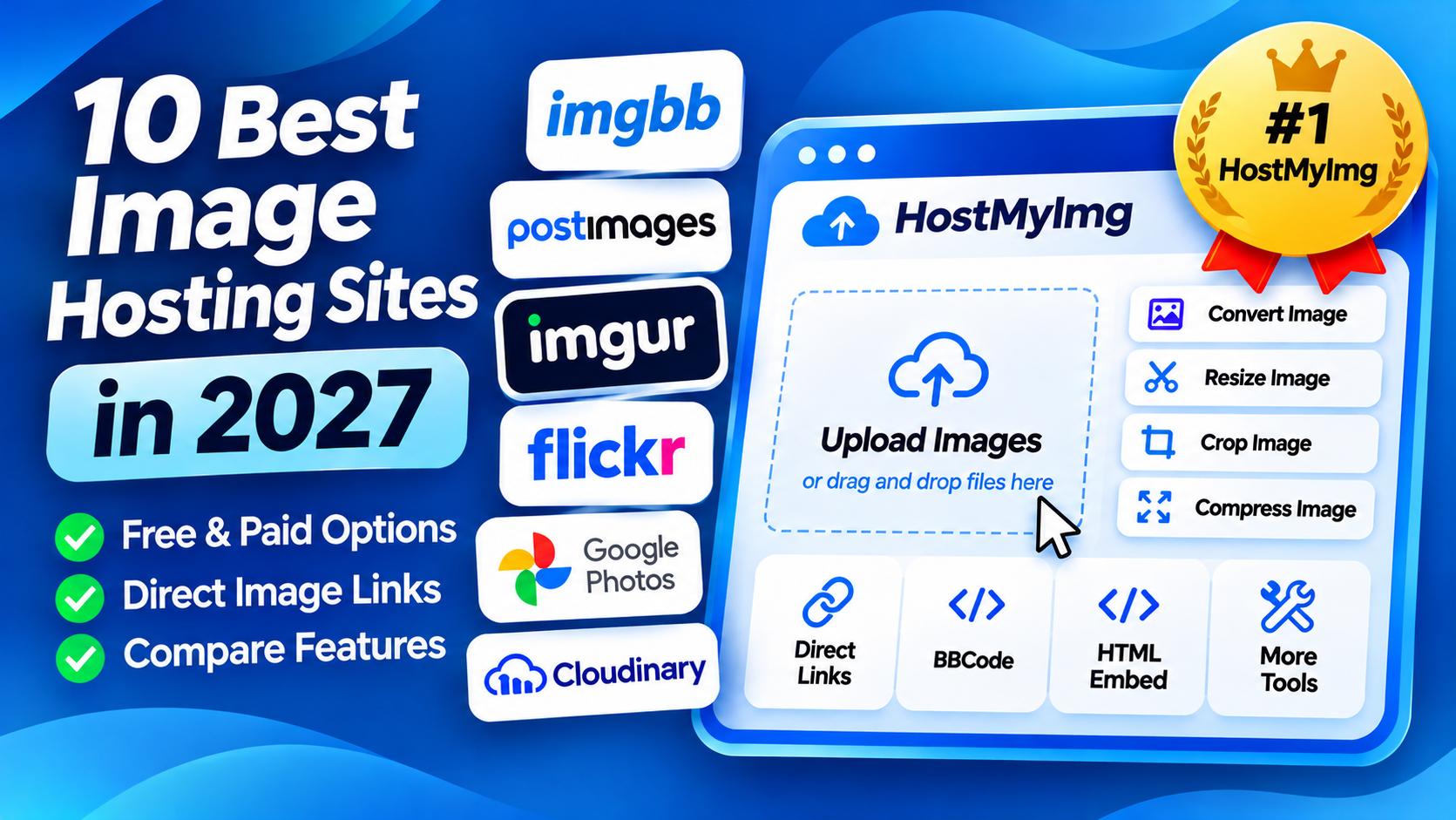
Quick Answer: HostMyImg.com is our top pick among the best image hosting sites in 2027 for people who want free image uploads, direct image links, and online image tools in one place. You can upload pictures without creating an account, get BBCode and HTML embed codes, and use separate tools to convert, resize, crop, or compress images.
Looking for the best image hosting website to upload and share your pictures? Whether you want to post screenshots on forums, share photos with friends, or manage images for a website, choosing the right service can make things easier.
Some image hosting sites focus on simple uploads and direct links. Others offer photo albums, cloud storage, image optimization, or developer tools.
In this guide, we compare ten free and paid image hosting services, explain their main features, and help you find the right option for your needs.
10 Best Image Hosting Sites in 2027
- HostMyImg: Best overall for free image hosting and online image tools.
- ImgBB: Best for simple image uploads and sharing codes.
- Postimages: Best for forums and discussion boards.
- Freeimage.host: Best for uploading larger image files.
- Imgur: Best for public image sharing and memes.
- Flickr: Best for photographers and photo portfolios.
- Cloudinary: Best for developers and image optimization.
- Google Photos: Best for personal photo backups.
- Dropbox: Best for storing and sharing files.
- ImageShack: Best for organized image collections.
Best Image Hosting Sites Comparison Table
Here is a quick comparison of the ten image hosting websites.
| Image Hosting Site | Free Option | Best For |
|---|---|---|
| HostMyImg | Yes | Free hosting and image tools |
| ImgBB | Yes | Direct links and embed codes |
| Postimages | Yes | Forums and blogs |
| Freeimage.host | Yes | Larger image uploads |
| Imgur | Yes | Community sharing |
| Flickr | Yes, limited | Photography portfolios |
| Cloudinary | Yes, limited | Developers and image delivery |
| Google Photos | Yes, limited | Personal photo backups |
| Dropbox | Yes, limited | Cloud file storage |
| ImageShack | Trial or paid plans | Image organization |
1. HostMyImg: Best Overall Free Image Hosting Site
HostMyImg is our first choice for people who want a simple image hosting service with additional tools for working with pictures online.
You can upload images for free without creating an account. After uploading, HostMyImg provides direct image URLs, BBCode, and HTML embed codes that you can copy and share.
What makes HostMyImg especially useful is its collection of online image tools. Instead of using separate websites for hosting, converting, and editing pictures, you can access these features on the same platform.
Key Features
- Free image uploads without an account.
- Direct image links for sharing pictures.
- BBCode for forums and discussion boards.
- HTML embed codes for websites and blogs.
- Image converters for supported formats such as JPG, PNG, WebP, and AVIF.
- Online tools for resizing, cropping, compressing, and editing images.
Why Choose HostMyImg?
Imagine you have a large screenshot that you want to share on a forum. You can use HostMyImg's image compression tool to reduce the file size, upload the result, and copy the BBCode to display it in your post.
If you need to convert a JPG image to WebP for a website, you can also use the available image conversion tools before hosting the new file.
HostMyImg is especially useful for bloggers, developers, forum users, students, and anyone who regularly uploads or edits pictures.
Best for: Free image hosting, direct image links, and image editing tools.
2. ImgBB: Best for Simple Image Uploads
ImgBB is one of the most popular free image hosting sites for uploading and sharing pictures.
It provides direct image links, BBCode, and HTML thumbnail codes. You can upload images by selecting files, dragging and dropping them, or providing an image URL.
ImgBB supports free uploads up to 32 MB per image. Its paid plans provide additional features and higher limits.
Key Features
- Free image uploads.
- Direct links and sharing codes.
- Drag-and-drop uploading.
- Image resizing options.
- Optional account features and paid plans.
Best for: People who want a simple image hosting website with ready-made sharing links.
Looking for more options? Read our guide to the best ImgBB alternatives.
3. Postimages: Best for Forum Image Hosting
Postimages is a free image hosting website designed for sharing pictures on forums, blogs, and other websites.
It offers direct image links and sharing codes, including BBCode for discussion boards.
Postimages supports free image uploads up to 32 MB per file. Free hotlinked images are limited to 1280 pixels, while premium plans offer additional options.
Key Features
- Anonymous image uploads.
- Direct image URLs and forum codes.
- Image resizing and expiration settings.
- Multiple-image uploads.
- Free and premium plans.
Best for: Forum users and people who regularly share images on discussion boards.
You can also explore our Postimages alternatives comparison.
4. Freeimage.host: Best for Larger Image Uploads
Freeimage.host is another free image hosting website that allows users to upload pictures and generate sharing links.
It supports direct image URLs, BBCode, and HTML codes for embedding images.
One useful feature is its advertised upload limit of up to 64 MB per image, which may be helpful for larger pictures.
Key Features
- Free image hosting.
- Direct links and embed codes.
- Uploads up to 64 MB per image.
- Image resizing options.
- Optional image expiration settings.
Best for: Users who want free image hosting with a relatively large file size limit.
5. Imgur: Best for Community Image Sharing
Imgur is a popular platform for uploading and sharing pictures, memes, GIFs, and other visual content.
Unlike basic image hosting websites, Imgur also includes community features that allow users to browse and interact with public posts.
It is useful for sharing images with online communities, but it is not designed to serve as a content delivery network for commercial websites.
Key Features
- Image and GIF sharing.
- Public posts and community features.
- Links for sharing uploaded content.
- Tools for browsing and discovering images.
Best for: Memes, GIFs, public image sharing, and online communities.
If you prefer a simpler image host, see our best Imgur alternatives guide.
6. Flickr: Best for Photographers
Flickr is a photo hosting and sharing platform designed for photographers and people who want to organize their pictures.
It provides features for managing photo collections, sharing images, and interacting with other photography enthusiasts.
Flickr offers a limited free account and a paid Pro subscription with additional benefits.
Key Features
- Photo uploads and collections.
- Albums and organization tools.
- Photography community features.
- Sharing and embedding options.
- Free and paid plans.
Best for: Photographers, photo portfolios, and organized image collections.
7. Cloudinary: Best for Developers and Websites
Cloudinary is a cloud-based media management platform used by developers, businesses, and website owners.
Unlike basic image hosting sites, Cloudinary focuses on managing, transforming, optimizing, and delivering images through its infrastructure.
It supports image transformations such as resizing, cropping, format conversion, and optimization.
Key Features
- Cloud-based image hosting.
- Image transformations and optimization.
- Developer APIs and SDKs.
- CDN-based image delivery.
- Free tier and paid plans.
Best for: Developers, web applications, and businesses that need more advanced image delivery tools.
8. Google Photos: Best for Personal Photo Backups
Google Photos is a cloud photo storage service designed for backing up, organizing, and sharing personal pictures.
It can automatically back up photos from supported devices and provides tools for searching and organizing your library.
Google accounts include 15 GB of free storage shared across Google Photos, Gmail, and Google Drive.
Key Features
- Photo backup and synchronization.
- Albums and photo organization.
- Photo sharing through links.
- Search and editing features.
- Free storage with optional paid upgrades.
Google Photos is not a direct replacement for an image hosting website that provides public hotlinks and BBCode.
Best for: Personal photo backups and sharing albums with family or friends.
9. Dropbox: Best for Cloud File Storage
Dropbox is a cloud storage service that allows users to store, synchronize, and share files, including images.
Unlike a traditional image hosting website, Dropbox is designed for managing different types of files across devices.
Its free Basic plan provides 2 GB of storage, with additional capacity available through paid subscriptions.
Key Features
- Cloud file storage.
- File sharing links.
- Synchronization across devices.
- Folder organization.
- Free and paid plans.
Best for: People who want to store images alongside documents and other files.
10. ImageShack: Best for Organized Image Collections
ImageShack is an image hosting service that focuses on uploading, organizing, and sharing pictures online.
It provides tools for managing image collections and sharing hosted pictures.
ImageShack is more suitable for users who want account-based image management than those who only need a quick anonymous upload.
Key Features
- Image uploads and hosting.
- Photo organization.
- Image sharing options.
- Account-based image management.
- Subscription-based services.
Best for: People who want to manage and organize hosted image collections.
What Is Image Hosting?
Image hosting is a service that stores pictures on an online server and provides links that other people can use to view or share them.
For example, when you upload a picture to an image hosting website, the service stores the file and generates a URL.
You can share that URL with another person or use a supported embed code to display the image on a website or forum.
Some image hosting websites also provide additional features, such as photo albums, editing tools, image conversion, or automatic expiration.
How to Choose the Best Image Hosting Site
The best image hosting website depends on what you need to do with your pictures. Here are some important features to compare.
1. Free Image Hosting
If you only need to upload and share a few pictures, a free image hosting service may be enough.
Check whether the website has file size limits, storage restrictions, advertisements, or paid features.
2. Direct Image Links
A direct image link points to the image file itself instead of a webpage displaying the picture.
Direct URLs are useful when sharing images on supported forums, websites, and other online platforms.
HostMyImg, ImgBB, and Postimages provide image links and sharing codes.
3. Anonymous Uploads
Some image hosting websites allow you to upload pictures without creating an account.
This is useful for quick image sharing, but anonymous uploads should not be confused with private or encrypted storage.
4. Image Quality
Some services resize or compress uploaded pictures. If preserving the original quality is important, check the website's image processing rules.
You can also compare the dimensions and file size of an uploaded image with the original.
5. Image Editing and Conversion
Image editing tools can be helpful when you need to resize, crop, or compress a picture before sharing it.
HostMyImg provides a collection of online image tools alongside its free image hosting service.
6. Storage and Expiration Policies
Different services have different rules about image storage, inactivity, deletion, and expiration.
Before relying on a third-party image host for important files, review its terms and keep a backup of your original images.
7. Website and Commercial Use
If you want to host images for a business website, check whether the provider allows commercial use, hotlinking, and automated requests.
Some services are designed for casual sharing, while others are built for website image delivery and business applications.
Best Free Image Hosting Sites for Different Needs
Here are our recommendations based on common use cases.
- Best for free image hosting and tools: HostMyImg.
- Best for forum image hosting: Postimages.
- Best for quick image links: ImgBB.
- Best for larger free uploads: Freeimage.host.
- Best for public image sharing: Imgur.
- Best for photographers: Flickr.
- Best for developers: Cloudinary.
- Best for personal photo backups: Google Photos.
- Best for general cloud storage: Dropbox.
- Best for organized hosted collections: ImageShack.
How to Upload Images and Get a Direct Link for Free
If you want to upload a picture and get a direct image URL, you can use HostMyImg.
- Visit HostMyImg.com.
- Select the image you want to upload.
- Upload the picture using the image hosting tool.
- Copy the direct image link, BBCode, or HTML embed code.
- Share the link or embed the image on a supported website.
You can also visit the image to URL page to learn how to turn an image into a shareable link.
For multiple pictures, explore the bulk image hosting tool.
Frequently Asked Questions About Image Hosting Sites
What is the best image hosting site in 2027?
HostMyImg is our top recommendation for everyday image hosting in 2027 because it combines free image uploads, direct links, BBCode, HTML embed codes, and online image tools. Other services may be better for photography portfolios, personal backups, or developer applications.
What are the best free image hosting sites?
Some of the best free image hosting sites include HostMyImg, ImgBB, Postimages, Freeimage.host, and Imgur. Each provides different features for uploading and sharing pictures.
Which image hosting site does not require an account?
HostMyImg allows you to upload images without creating an account. ImgBB and Postimages also support account-free uploading.
Which image hosting sites provide direct links?
HostMyImg, ImgBB, Postimages, and Freeimage.host provide image links and embed codes. The exact features and restrictions depend on the service and plan.
Where can I host images for free?
You can upload and host images for free using HostMyImg, ImgBB, Postimages, and several other image hosting websites. Check each provider's storage limits and usage policies before uploading important files.
Can I host images for my website?
Yes. Some image hosting services provide direct image URLs and HTML embed codes. However, check whether the provider allows website hotlinking, commercial use, and the expected amount of traffic.
Which image hosting site is best for forums?
Postimages and HostMyImg are useful for forums because they provide BBCode and direct image links. BBCode makes it easier to display pictures inside posts on forums that support it.
What is the best image hosting service for photographers?
Flickr is a strong option for photographers who want to organize and share photo collections. Google Photos is better suited to personal backups, while HostMyImg focuses on quick image hosting and sharing.
Can I convert an image before hosting it?
Yes. HostMyImg provides online image converters and editing tools that you can use to prepare supported image files before uploading them.
Is free image hosting safe?
Free image hosting can be useful for sharing ordinary pictures, but you should avoid uploading sensitive or private images unless you understand the provider's privacy and access controls.
Always keep a backup of important files and review the hosting service's terms and privacy policy.
Final Verdict: Which Image Hosting Site Should You Choose?
The best image hosting site depends on your needs.
If you want free image hosting with direct links and useful editing tools, HostMyImg is our top recommendation.
It allows you to upload images without an account, get direct image URLs, and copy BBCode or HTML embed codes. You can also use separate tools to convert, resize, crop, and compress pictures.
ImgBB and Postimages are good choices for basic image sharing. Flickr works well for photography, Google Photos is useful for backups, and Cloudinary offers advanced features for developers.
For everyday image hosting and image editing in one place, HostMyImg offers a convenient combination of features.